Tax Classes
German VAT tax classes: 7% reduced / 19% standard per menu item or category, with correct per-class gross tax lines.
- Downloads
- 2
- Latest version
- v1.0.0
- Supported version
- v4.x
Tax Classes for TastyIgniter v4
Per-item VAT tax classes for countries with a split VAT rate — built for Germany (7% reduced for takeaway/delivery food, 19% standard for drinks), works for any two-rate scheme (Ireland 13.5/23, Belgium 6/21, …).
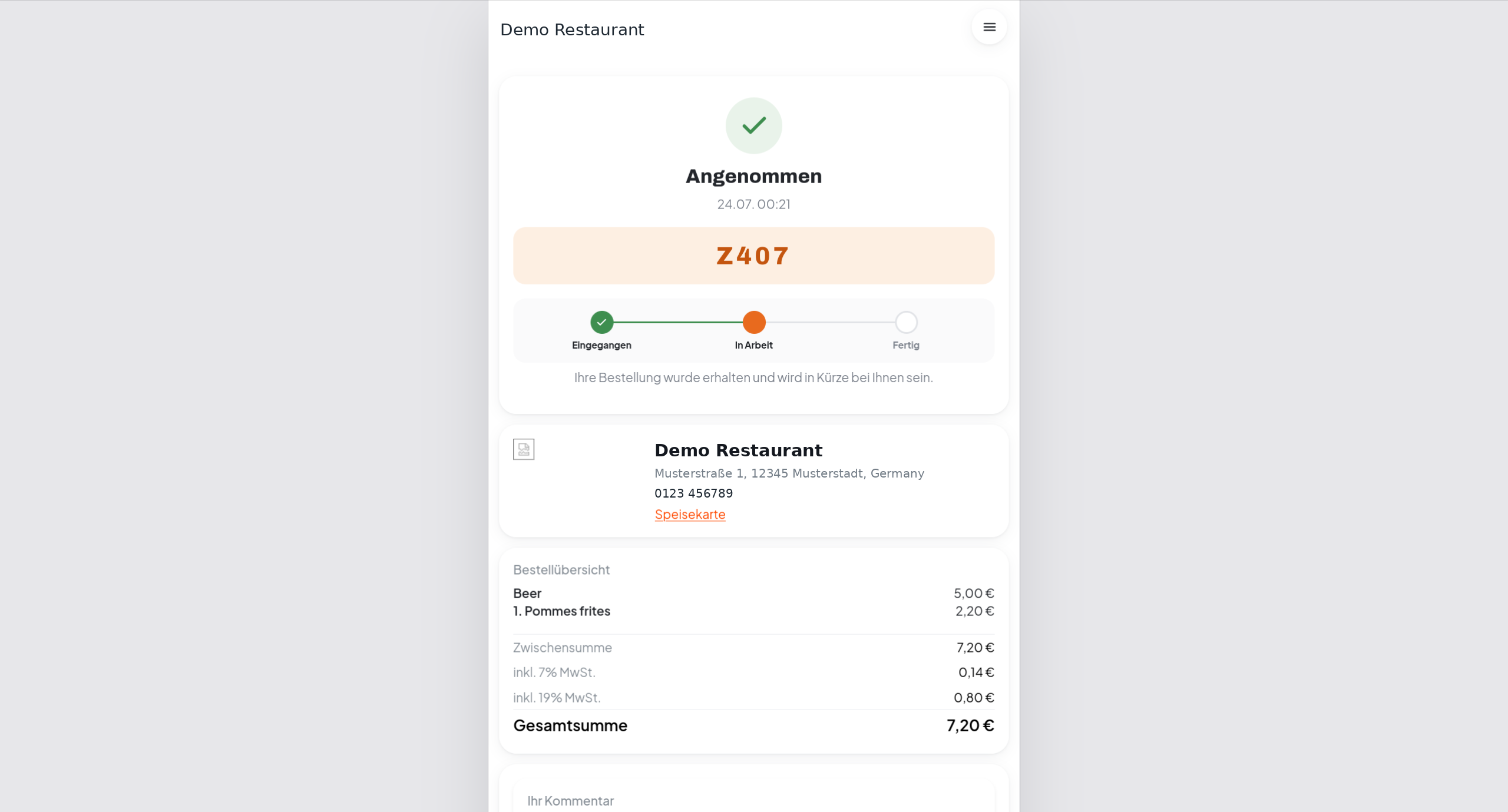
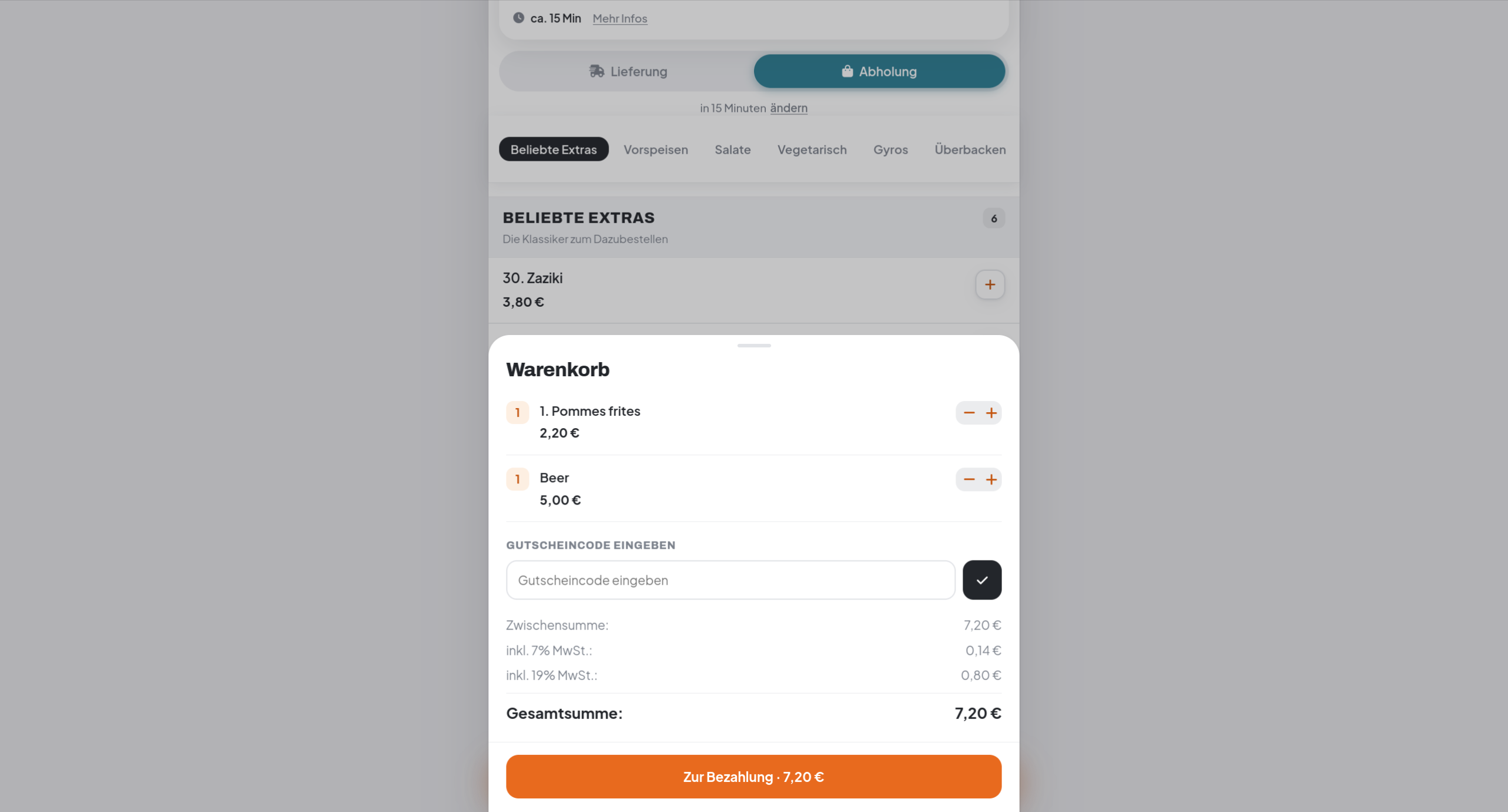
TastyIgniter core supports a single global tax rate. This extension replaces it with two inclusive tax lines, each computed from the gross prices of the items in its class:
Zwischensumme            33,30 €
inkl. 7% MwSt.            1,40 €
inkl. 19% MwSt.           1,90 €
GESAMT                   33,30 €
Prices stay gross (tax is back-calculated and never added on top), totals are rounded once per class, and the two lines are persisted as separate order totals — so they appear in the cart, at checkout, on invoices and in order mails automatically.
Features
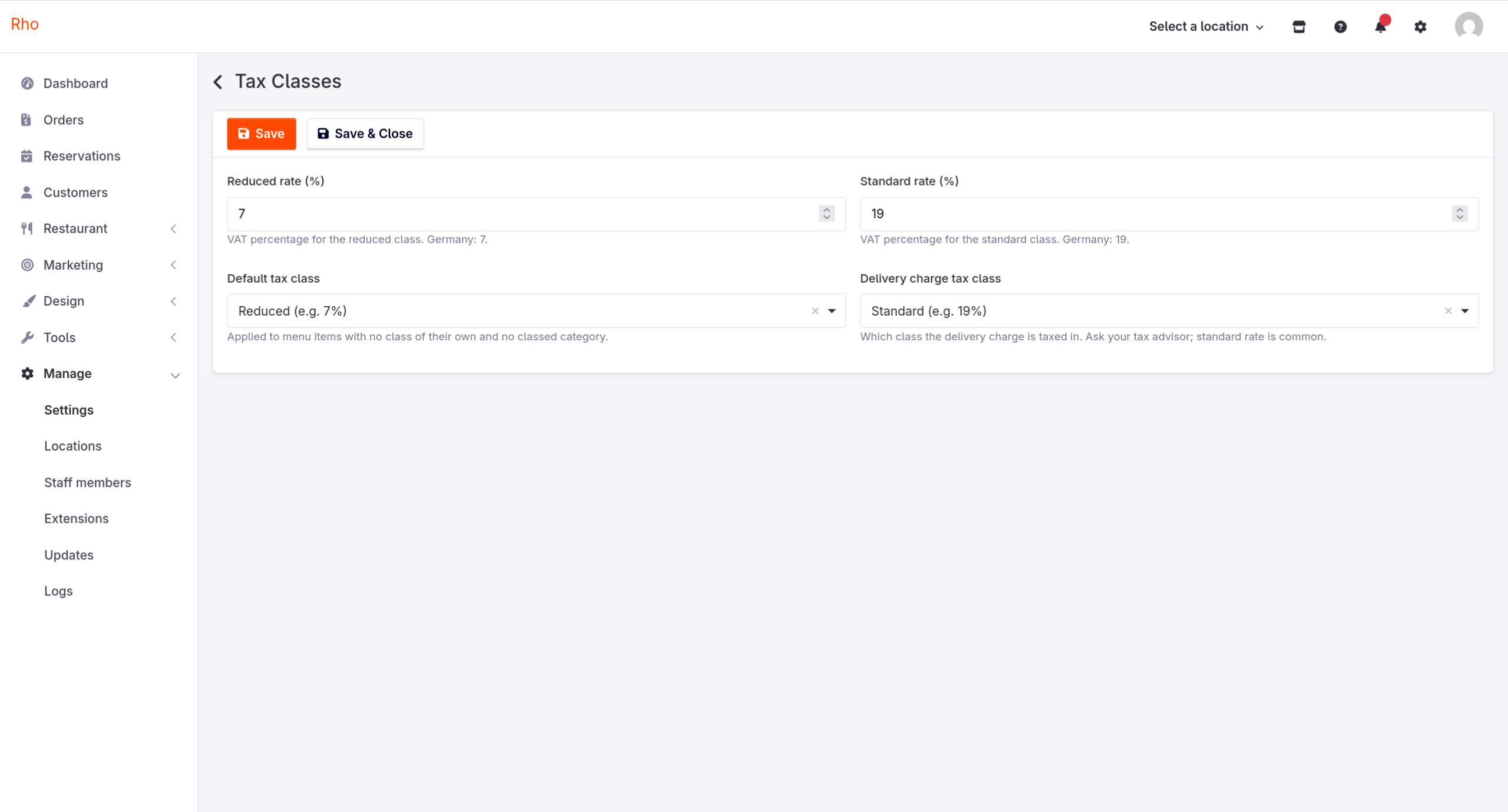
- Two tax classes (reduced / standard), rates configurable — defaults 7% / 19%
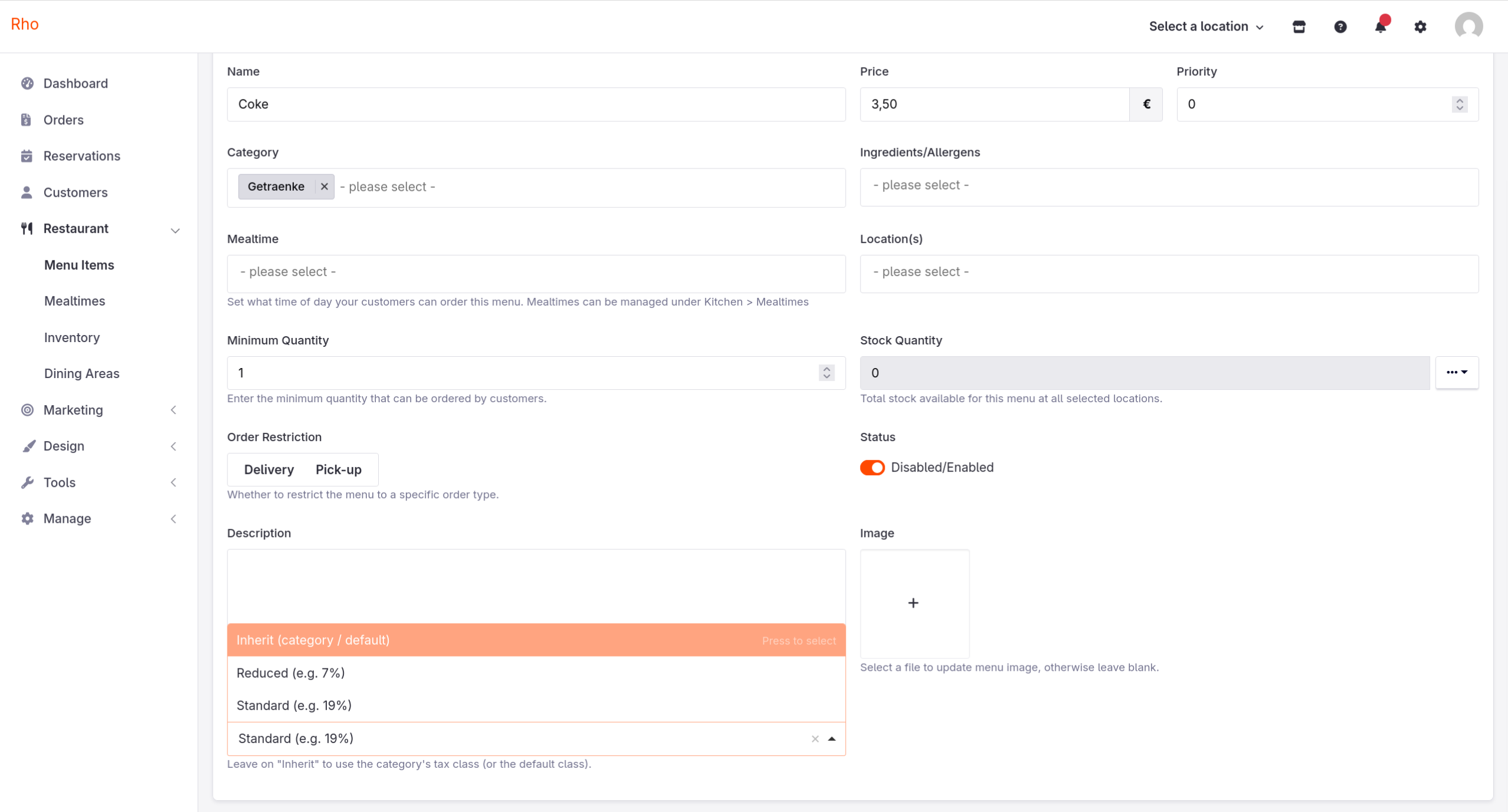
- Assign a class per menu item, per category (items inherit), or fall back to a configurable default class
- Correct German gross handling: back-calculated inclusive VAT, per-class rounding
- Delivery charge taxed in a configurable class (default: standard rate)
- Zero theme changes needed — uses standard cart conditions and order totals
Installation
- Install the extension (marketplace or
extensions/iamnothardcoded/taxclasses/), then runphp artisan igniter:upto add thetax_classcolumns. - Disable the core VAT condition — otherwise you get a third, wrong tax line: Admin → Settings → Cart Settings → Cart Conditions tab → toggle "VAT" off. Leave "VAT reduced rate" and "VAT standard rate" enabled (they are by default).
- Set your rates and defaults under Admin → Settings → Tax Classes.
- Tag your categories: typically set the drinks category to Standard and leave everything else on the default class (Reduced). Individual items can override their category on the menu item form (General tab → Tax class).
Notes & limitations
- Item in several categories with different classes: the first classed category wins. Set the class on the item itself to be explicit.
- §19 UStG (Kleinunternehmer) / no VAT display: disable both tax-class conditions in the Cart Conditions tab — no tax lines are shown anywhere.
- Coupons: v1 computes VAT from the items' gross subtotals; a cart-level coupon does not reduce the VAT base proportionally.
- PayPal: the itemized tax field in PayPal's order breakdown (populated only
for a condition literally named
tax) stays empty. Charged amounts are correct. - Your fiscal system (e.g. TSE-Kasse) remains authoritative for tax reporting; this extension makes the shop's displayed and recorded totals match reality.
License
MIT
You'll also need
Install these extensions on your site before using this item.
The Author
nothardcoded-labs
I build restaurant tech on TastyIgniter v4 — ordering storefronts, thermal-printer pipelines, and extensions I built because my own restaurants needed them. Focus on the German market: proper VAT handling, privacy-friendly defaults. Everything here runs in real restaurants first.