Top POS Systems for Restaurants Focused on Faster Service
· 11 min read
Slow service rarely comes from a slow cook. More often, a ticket sits in the wrong place, a server waits on a frozen screen, a delivery order has to be retyped from a tablet, or a new hire looks for a button while the line grows. A restaurant POS sets the pace for all of it. Staff turnover means constant retraining, peak hours expose every weak spot, and delivery platforms such as DoorDash and Grubhub add another stream of orders to manage. We reviewed dozens of platforms, and the strongest ones share a clear focus on speed, reliability, and real restaurant workflows. Here are five worth a close look.
Speed Is Also a Revenue Number
A slow POS doesn't only frustrate guests. It reduces revenue in every shift, at every table, and on every transaction.
- Covers per hour. A system that holds up at peak keeps orders moving and tables turning. Slowdowns and crashes tend to happen exactly when you can least afford them.
- Training time. With constant staff turnover, a system people can learn in an afternoon saves hours every time someone new starts.
- Check size. Built-in upsell prompts, table-side ordering, and smooth payment flows consistently raise per-table revenue.
The difference between a good POS and a poor one shows up in the numbers every night.
The Five Platforms, by Where They Save Time
Service speed depends on more than one moment. It covers the order, the kitchen, payment, off-premise orders, and staying up when something fails. This table shows where each pick helps most.
| Platform | Best For | Where It Saves the Most Time |
|---|---|---|
| Orders.co | Bringing every order channel into one restaurant POS | Orders from every channel in one POS, table-side ordering, configured kitchen routing |
| Loyverse | Small to medium-sized restaurants on a budget | Fast setup on phones and tablets; offline mode keeps sales going |
| Clover | Flexible hardware and payment processing | Reliable at high volume, with hardware matched to each service format |
| Toast | Full-service operations and deep integrations | Delivery integrations that cut down on separate tablets; cellular backup |
| Square | Small to mid-size restaurants needing an all-in-one setup | Quick setup and a clean payment flow |
Note: Data is sourced from review platforms and the official websites of the listed companies.
Orders.co: 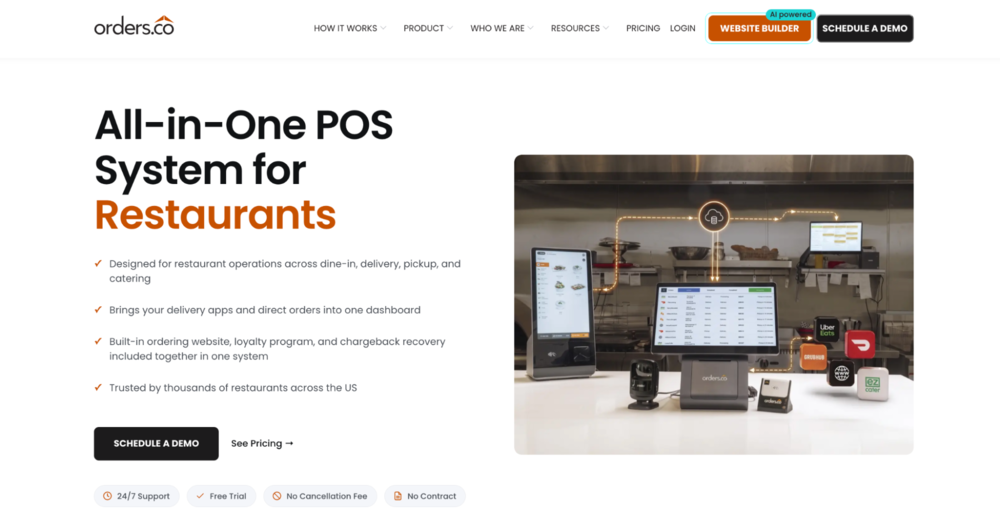
Best for bringing every order channel into one restaurant POS
https://orders.co/ is an all-in-one restaurant POS system. It connects in-store ordering, payments, online ordering, third-party delivery apps, kitchen operations, delivery management, customer engagement, and reporting in one system.
At the counter and table. DoorDash, Uber Eats, Grubhub, ezCater, and direct website orders arrive in the POS automatically. Staff enter phone and traditional dine-in orders through the POS, so the team can manage orders from one place regardless of the source. With Dine-In Express, staff can take orders at the table and send them through the POS to the kitchen.
In the kitchen. A KDS can be paired with the POS, and Orders.co support configures which categories and items are routed to the kitchen screen. KDS software is included with advanced plans; hardware is separate.
Across the menu. Menu items, pricing, modifiers, availability, and sold-out items are managed centrally across connected channels. Changes appear within seconds on the POS and direct ordering websites. On third-party marketplaces, they can take from seconds to several minutes, depending on the provider and volume of changes.
Out the door. Each location can use in-house delivery, AI Dispatch, or a selected DSP. The system identifies catering orders, so AI Dispatch can route delivery requests to DSPs appropriate for catering. Standard includes a separate catering ordering website with its own menu, loyalty, reviews, and delivery strategy. Advanced adds a separate catering POS business that can be operated from the same POS hardware.
When something goes wrong. Support is available 24/7 by phone, chat, and ticketing, with urgent issues escalated through Level 1, Level 2, and Level 3 support. Uber Eats and DoorDash chargebacks are centralized. With the Advanced service, disputes are initiated automatically after 24 hours, and rejected disputes are escalated by email and phone.
After the shift. X and Z reports, top-selling item insights, provider performance, and other reports provide operational visibility across locations. Marketplace-issued reports should be used for accounting and tax purposes. Profit IQ connects sales with costs and expenses to provide estimated profitability insights across the business, sales channels, categories, and menu items.
Restaurants also get a commission-free branded ordering website with pickup, delivery, scheduled ordering, coupons, loyalty and rewards, and guest review management. After initial setup of coupons, loyalty rules, and popular items, the system can automatically contact inactive customers every 11 days, with AI selecting the appropriate message or offer.
Getting started. Once all required business information is provided, onboarding typically takes 2–7 days, depending on the customer's availability.
What users notice. Customer feedback highlights the value of managing POS transactions, orders, menus, delivery channels, marketing, and loyalty in one system. Operators also appreciate the straightforward interface and automation, especially smaller restaurant teams that want fewer separate systems to manage.
The fit. Restaurants handling dine-in, phone, website, and delivery apps together, as well as restaurant groups that want to standardize menus, reporting, ordering, and workflows while keeping location-specific operational settings.
Loyverse: 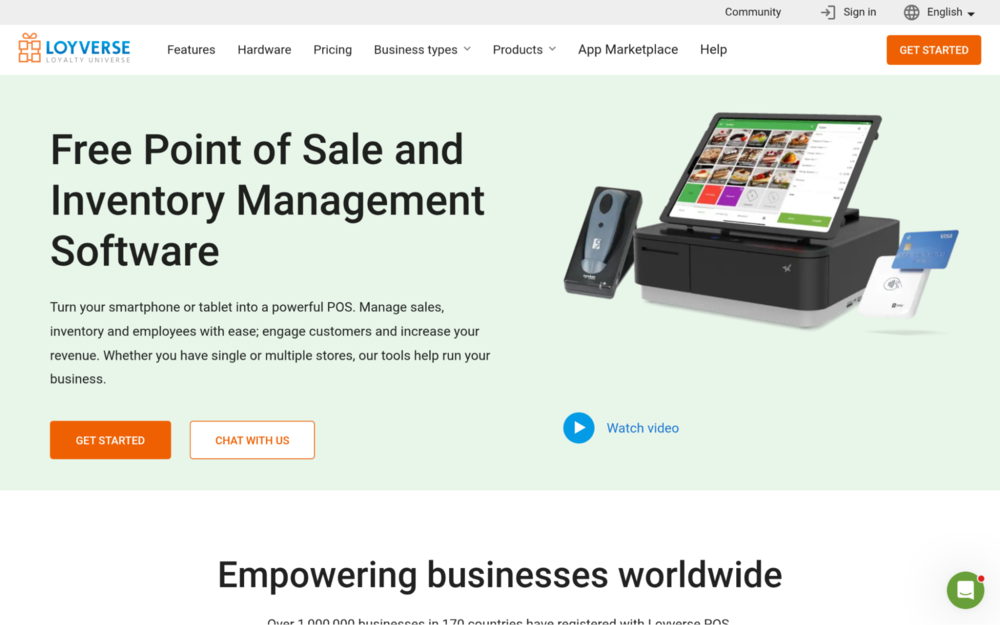
Best for small to medium-sized restaurants on a budget
At the counter and table. Loyverse turns a standard smartphone or tablet into a fully functional POS, a practical option for smaller operations that don't want to spend heavily on dedicated hardware. It covers sales processing, inventory tracking, employee management, customer loyalty programs, and multi-location management.
When something goes wrong. Offline mode keeps sales going when the internet drops during a rush.
Getting started. Reviewers consistently say setup is fast and that the app is up and running quicker than most competitors. The app is actually free, not a trial, with optional paid add-ons for businesses that need more.
Reach. Loyverse works in more than 170 countries and connects with more than 30 payment processors.
What users notice. Reviews on Capterra, G2, and Trustpilot most often mention easy setup. Small cafe and food truck operators are especially positive about offline mode, since losing internet doesn't mean losing sales. The free tier offers more than most users expect before they add paid features.
The fit. Small restaurants, cafes, and food trucks that need a real POS without enterprise pricing.
Clover: 
Best for flexible hardware and payment processing
At the counter and table. Clover is an Android-based POS that handles payment processing, inventory tracking, and staff management for many business types, including counter service and full table service restaurants. Operators can combine purpose-built restaurant hardware with affordable off-the-shelf Android devices, controlling setup costs without giving up functionality.
When volume spikes. Clover processes more than two billion transactions annually for hundreds of thousands of merchants. Reviewers say it holds up well during high-volume service.
As you grow. The open App Marketplace lets restaurants add third-party tools over time without replacing the whole system. Its Android foundation keeps hardware costs lower than proprietary systems usually allow.
What users notice. Feedback centers on reliability during busy periods. Operators also like being able to add functionality through the App Marketplace as their needs change.
The fit. Growing restaurant groups running several service formats, where the same hardware rarely works everywhere.
Toast: 
Best for full-service restaurant operations and deep integrations
At the counter and table. Toast is a restaurant-only POS, so every feature is built for food service. It covers point of sale, online ordering, inventory management, payroll, scheduling, and sales reporting in one system.
Off-premise orders. More than 200 integrations connect Toast with third-party tools. Operators particularly value its connections to DoorDash and Uber Eats, which reduce the need to manage separate tablets.
When something goes wrong. The Toast Router includes built-in cellular backup, so the system keeps processing orders when the internet goes down. Losing connectivity mid-service is costly, and this feature reflects close attention to real restaurant operations.
Reach. As of mid-2024, roughly 120,000 US restaurants run on Toast, more than a fifth of the domestic POS market. Because Toast serves only restaurants, its product team isn't splitting focus with retail, salons, or gyms.
What users notice. The depth of integrations stands out, and high-volume locations with unreliable internet praise the offline functionality. Restaurants that switch to Toast from a general-purpose POS often say the difference in daily operations is significant.
The fit. Full-service restaurants that want deep integrations and protection against outages.
Square: 
Best for small to mid-size restaurants needing an all-in-one setup
At the counter and table. Square extends its well-known payment processing into a full restaurant platform. It handles payment acceptance, inventory, payroll, e-commerce, and customer communication under one account.
When something goes wrong. Bringing payments, inventory, and customer communication into one system means fewer problems to troubleshoot at 7 p.m. on a Saturday, which is especially helpful for restaurants with lean staff and no IT support. The $0 chargeback fee also helps, since dispute fees can add up over a busy month.
Reach. Square processes $241 billion in payments annually for around four million merchants.
What users notice. Small restaurant owners regularly praise the fast setup and clean payment flow. The free card reader that launched the company still comes up in reviews, but most current feedback focuses on how well the ecosystem holds together as a business grows.
The fit. Operators who want everything in one place without assembling separate vendors for payroll, POS, and online ordering.
How We Ranked Them
Coverage first. We built a broad pool from software directories, restaurant technology review sites, published case studies, and editorial roundups. Any platform with a meaningful restaurant presence was included before evaluation began.
Then verification. Platforms without documented user reviews, with inconsistent data across sources, or without confirmation that they actively serve restaurants were removed. A few glowing reviews counted for less than thousands showing a clear, repeatable pattern.
Then evidence. We compared official product claims with third-party reviews. If a company described a feature as central, we checked whether operators confirmed it worked. Measurable outcomes in case studies counted more than feature descriptions.
Then reputation. We considered awards from credible technology and hospitality publications, industry media coverage, published research, company age, market reach, and the documented size of each merchant base.
Finally, restaurant proof. Every pick needed dedicated restaurant use-case pages, verified reviews from food service operators rather than general small businesses, and case studies with real restaurant outcomes. Platforms clearly committed to restaurants through product design, integrations, and documented results ranked higher than those offering restaurant features as one module among many.
Five Factors, Viewed Through Speed
Industry experience. Look for a documented food service history, not just retail. Why it matters for speed: restaurants depend on table management, modifier handling, and split checks, and generic systems often slow these down.
Features that match your format. Why it matters for speed: a food truck needs offline mode and mobile payments. A full-service dining room needs table management, course firing, and server-side ordering. Features you don't use only get in the way.
The all-in price. Hardware, monthly software fees, and payment processing rates stack up. Why it matters for speed: a system you can't afford to fully equip becomes a bottleneck. The cheapest monthly plan often carries the highest processing rate.
Clear reporting. You should be able to see average transaction time, table turn rate, and check size. Why it matters for speed: if you can't measure service speed, you can't improve it.
Compliance handled correctly. Confirm the platform handles PCI DSS requirements, tip reporting, and local tax rules. Why it matters for speed: compliance mistakes create problems long after the sale and take time to fix.
What to Remember
Your POS affects nearly every part of the guest experience, from how fast orders reach the kitchen to how smoothly the check closes. Toast and Clover suit operators who need depth and scale. Loyverse and Square fit smaller teams that want speed without extra complexity. Orders.co brings dine-in, phone, website, and third-party delivery orders into one POS, along with kitchen routing, delivery, and customer engagement. As delivery and digital ordering keep growing, platforms that connect in-house and off-premise operations will continue to pull ahead.