Table Ordering
Table Ordering extension for TastyIgniter V4
- Downloads
- 0
- Latest version
- v1.2.5
- Supported version
- v4.x
Table Ordering
Package: avisaas/ti-ext-table-order
Compatibility/Notes: Works with TastyIgniter 4.x on PHP 8.1+. Requires the TastyIgniter Reservation extension because table QR codes are linked to dining tables.
Features
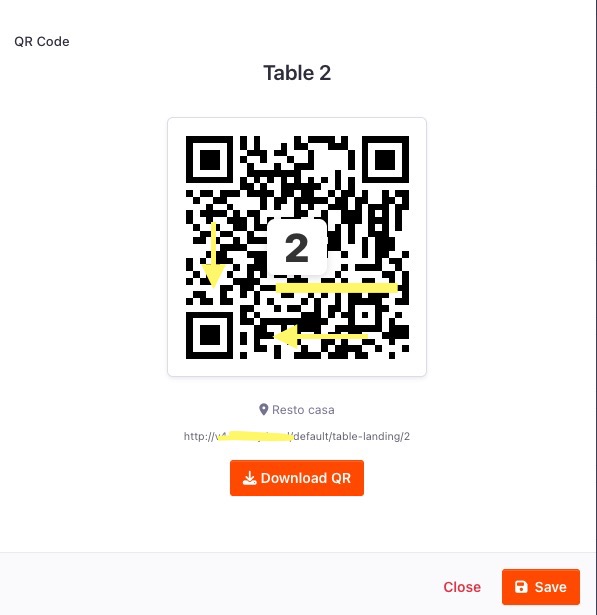
QR Table Ordering
Customers scan a QR code at the table and are routed into the table-order flow. The extension stores the scanned table in the session, switches the location order type to table-order, and sends the customer to the menu with the table already selected.
Optional Table Confirmation Page
Restaurants can choose whether a QR scan opens a confirmation page first or sends the customer straight to the menu.
- Show a confirmation step before the menu
- Allow the customer to choose a different table when table locking is off
- Lock the order to the scanned table when table locking is on
- Keep the table number consistent through checkout and admin order views
Call Waiter and Request Check
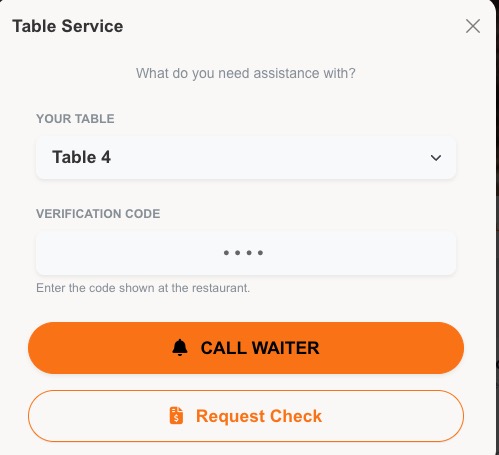
The table landing page can show service buttons for:
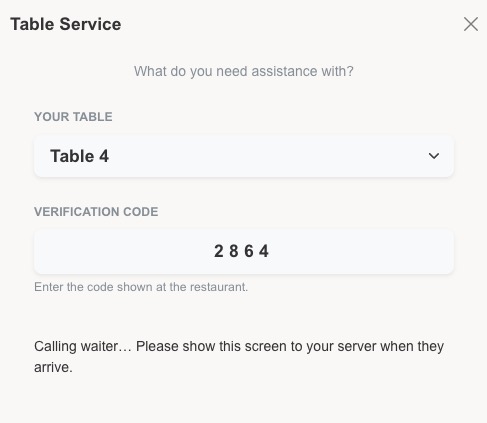
- Call a Waiter
- Request the Check
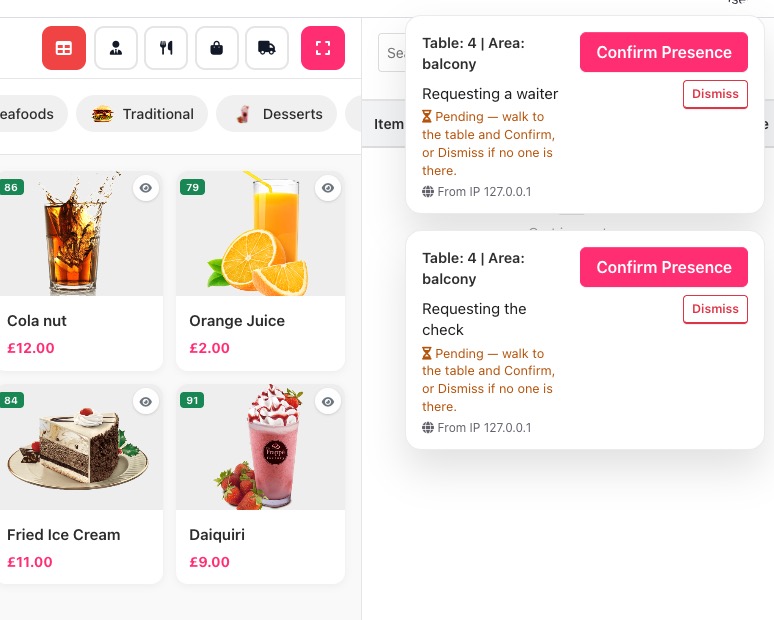
Requests are stored with location, table, dining area, IP address, type, and status. Staff can complete, confirm, or dismiss requests from the admin notification actions.
Staff Notifications
Pending waiter/check requests can appear as persistent admin notifications until staff act on them. Restaurants can select which staff groups receive request notifications, or leave the setting empty for all admin users.
Anti-Spoofing Verification
The extension includes three verification modes that can be enabled independently:
| Mode | Purpose |
|---|---|
| GPS location check | Requires the customer's browser location to be within the configured distance from the restaurant |
| Waiter confirmation | Creates requests as pending verification until staff physically confirm the customer is present |
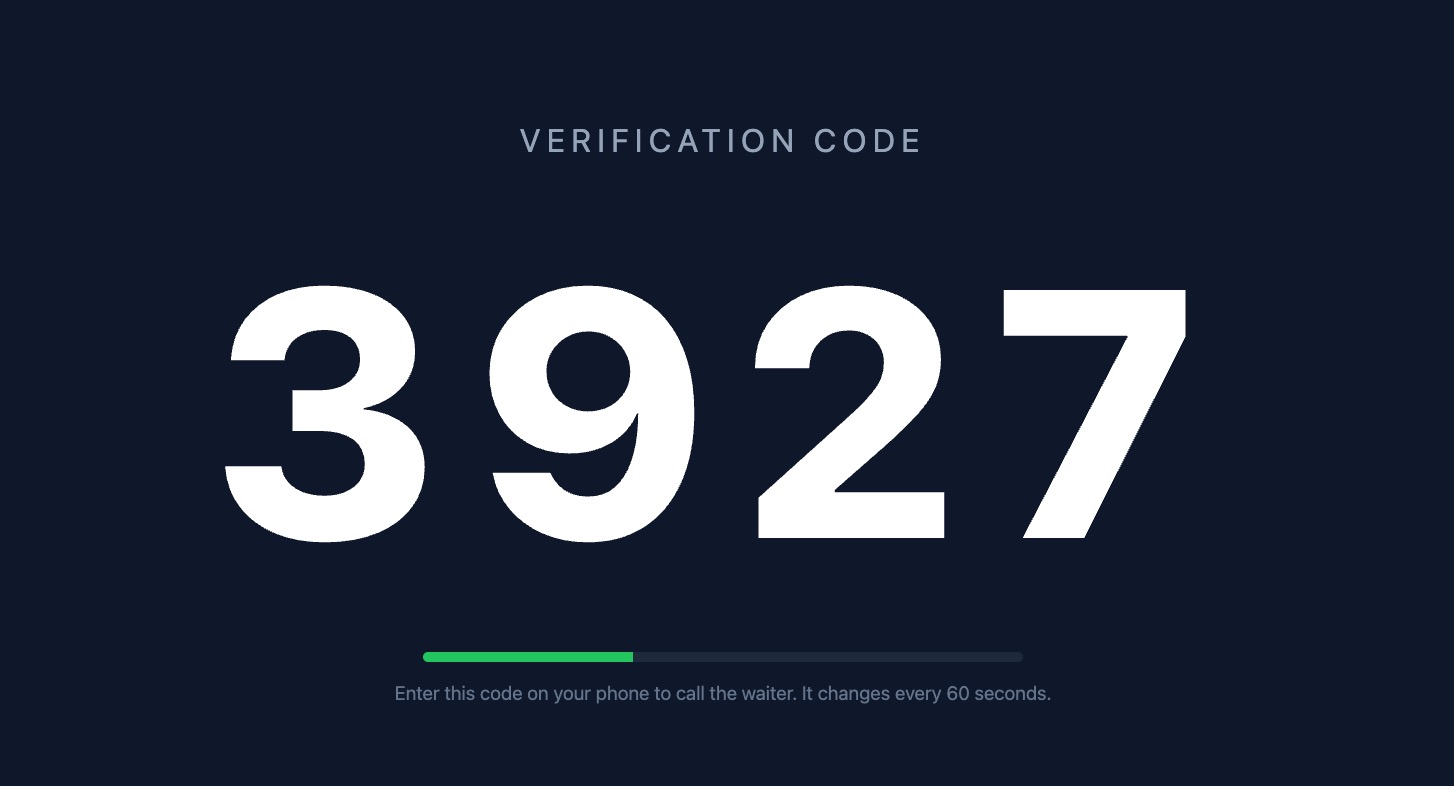
| Table code | Requires a 4-digit code shown at the restaurant before the customer can call staff or request the check |
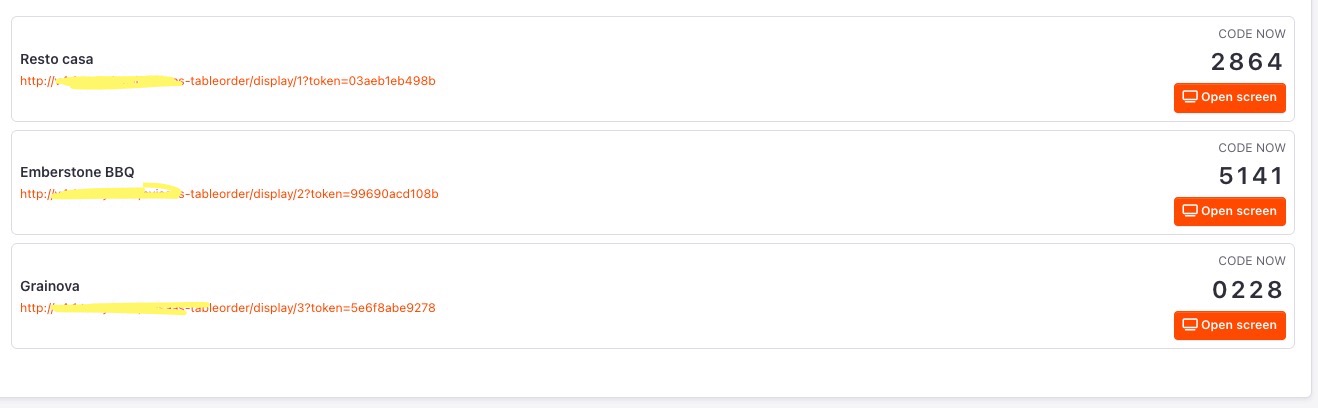
The table code can be a rotating per-minute code shown on a display screen, or a manual code written on a board.
Per-Location Settings
Table Ordering can be enabled per location, with location-level options for table locking, landing page behavior, waiter/check availability, and verification.
License-Protected
The extension requires a valid Avisaas Table Ordering license key. Without an active license, the customer flow redirects away from the table ordering pages and settings remain limited to license activation.
Screenshots

Public screenshots
Public versions are available at: https://github.com/avisaas/extension-screenshots/tree/main/table-order
Raw images: https://raw.githubusercontent.com/avisaas/extension-screenshots/main/table-order/
Requirements
- TastyIgniter 4.x
- PHP 8.1 or higher
- TastyIgniter Reservation extension
- Dining areas and dining tables configured for each location
- A valid Avisaas Table Ordering license key
Installation
This extension is available for purchase from the Avisaas marketplace. After payment you will receive the extension files. Install them using one of the methods below.
Option A: Composer
- Add the repository to your application's
composer.jsonif it is not on Packagist:
"repositories": [
  { "type": "vcs", "url": "https://github.com/avisaas/table-order.git" }
]
- From your TastyIgniter root:
composer require avisaas/ti-ext-table-order
- In the Admin panel, go to System > Extensions and install/enable Table Ordering.
- Run migrations:
php artisan igniter:up
- Clear caches:
php artisan cache:clear
php artisan config:clear
php artisan view:clear
Option B: Manual install via SSH
- Upload the
avisaas/table-orderfolder toextensions/avisaas/table-orderon your server. - From the extension folder, install PHP dependencies if the package includes a vendor bundle or composer dependencies:
composer install --no-dev --prefer-dist
- Enable Table Ordering in System > Extensions.
- From your app root, run migrations and clear caches using the commands above.
Option C: FTP install (No SSH required)
- Upload the
avisaas/table-orderfolder via FTP toextensions/avisaas/table-order. - Enable Table Ordering in System > Extensions.
- Go to Table Order Settings and save your license key.
- Run migrations from your hosting panel if it provides Artisan access, or ask the server administrator to run:
php artisan igniter:up
Configuration
1. Activate your license
Go to System > Settings > Table Order Settings > License tab. Enter your Avisaas license key and save. The settings tabs become available once the license validates.
2. Enable Table Ordering
Go to the Settings tab and turn on Enable Table Ordering. Configure this globally, then override per location from the location settings tab if needed.
3. Configure tables
Create dining areas and dining tables in the TastyIgniter Reservation settings. Each QR code should point to the table landing URL for the table id, for example:
https://example.com/table-landing/123
Replace 123 with the actual dining table id and use the page route configured in your theme.
4. Choose landing behavior
Use Show Table Confirmation Page to decide whether QR scans open a confirmation page first. Use Lock Table Number when guests must order only from the scanned table.
5. Configure staff service requests
Select Call Waiter Locations where the buttons should appear. Select Staff Notification Groups for the admin users who should receive request notifications.
6. Configure verification
Use the Verification tab to enable any combination of:
- GPS restaurant-distance check
- Waiter confirmation
- Table code
For rotating table codes, open the display screen from the Table Code Display field and show it on a staff-controlled tablet, TV, or phone.
Support Docs
QUICK_START.md- quick verification checklist for staff request notificationsNOTIFICATION_TROUBLESHOOTING.md- detailed debugging guide for admin notificationsIMPLEMENTATION_SUMMARY.md- implementation notes for the notification system
License
Commercial - requires a valid license key from Avisaas. One license per domain. License keys are validated against the domain set in APP_URL.
More from this author
Other extensions and themes by AVi SaaS.